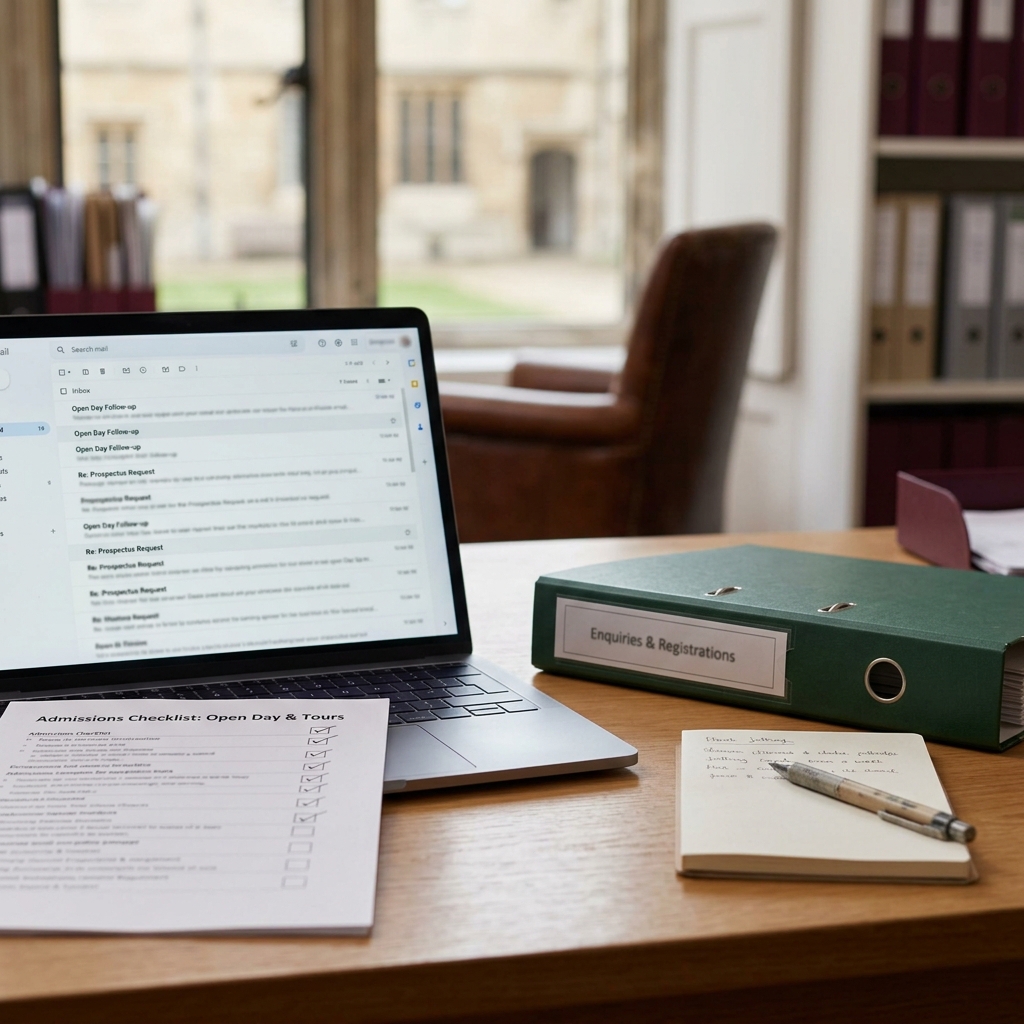
In a busy independent school admissions office, the same types of task tend to compete for attention: a parent asks about entry to [year group], a family needs a follow-up after an open day, another application needs a reminder, and someone is waiting for confirmation of a tour booking.
If your school is considering AI, the sensible first question is not, Where could we use AI everywhere? It is, Where could we use AI safely as a drafting assistant, with the least chance of confusion, overpromising or mishandling sensitive information?
This guide is for admissions administrators in UK independent schools who are new to AI and want a practical starting point. It compares parent enquiry email drafts, open day or tour follow-ups and application reminders, then sets out the areas that should stay firmly human-led.
It is practical operational guidance, not legal, safeguarding, data protection or admissions policy advice. Your school should always use its own approved information, internal processes and authorised review before any parent-facing communication is sent.
The safest first AI experiment is usually a routine draft based on approved school information. For many admissions offices, that means a first-pass parent enquiry response or an open day follow-up template, checked carefully before sending.
- Best first candidates: routine parent enquiry drafts and open day or tour follow-up drafts where the content comes from approved school wording.
- Useful with caution: application reminders, because they depend on individual records, deadlines, missing items and current application stage.
- Keep human-led: admissions decisions, safeguarding-related messages, bursary or scholarship outcomes, policy interpretation, complaints, unusual family circumstances and any final parent-facing communication that has not been authorised for release.
If your admissions office is ready to try a careful first AI drafting workflow, the Starter AI Toolkit for Admissions Administrators in Independent Schools (UK) packages practical prompts and simple checks for routine admissions admin use.
For teams that want deeper workflow support, the Advanced Toolkit and Bundle options are also available. The toolkit is a shortcut for drafting and organising work; it does not replace authorised admissions review, school policy, safeguarding judgement or your school’s internal processes.
Affiliate disclosure: This article may contain an affiliate link, which means SBA Shortcut Shelf may earn a commission, at no extra cost to you. For admissions offices collecting routine enquiry or tour-registration information through approved forms, Jotform is one option to consider.
Start with the decision principle, not the tool
AI in independent school admissions should start with risk and reviewability, not novelty. The question is not whether a tool can generate a polished email. The question is whether the draft is based on approved information, easy to check and unlikely to create a promise the school did not intend to make.
A simple rule works well for choosing a first AI task: choose work that is frequent, low-sensitivity, based on approved school information, easy to review and unlikely to overpromise.
That rule points towards routine drafting support, not admissions judgement. AI can help produce a first draft of a parent enquiry response, an open day follow-up or a neutral application reminder. It should not decide what a family should be told, whether a child is suitable, whether a place is available or how policy applies to a particular case.
Every AI-assisted draft should be checked by an authorised person before use. That means checking the facts, tone, placeholders, application stage and any school-approved wording before the message reaches a parent or becomes part of an admissions workflow.
The first-use decision matrix for admissions office AI tasks
The following matrix is a practical decision aid, not an official framework or compliance standard. It is designed to help an admissions administrator choose a sensible first experiment for AI-supported drafting.
Strong first candidates
- Parent enquiry email drafts: Often repeated, usually easy to base on approved prospectus, tour and next-step wording. Sensitivity can be low if no personal assessment or decision is involved. First-use verdict: good first experiment.
- Open day or tour follow-up drafts: Often repetitive and tone-sensitive. Useful for thanking families, sharing approved next steps and inviting further contact. First-use verdict: good first or second experiment, provided personal details are checked.
- Tour booking replies: Can be suitable where the message uses approved booking instructions and placeholders for dates or availability. First-use verdict: good with checking, especially where availability must be confirmed manually.
Useful, but needs tighter checking
- Application reminders: Useful for neutral nudges, but they may depend on individual records, document status, deadlines and fee wording. First-use verdict: good with tighter checking.
- Interview or assessment coordination messages: Can help with format and clarity, but dates, times, requirements and pupil-specific details must be verified. First-use verdict: cautious candidate, not the first task for a nervous team.
- Pupil record update notes: AI may help format non-sensitive internal notes, but the underlying record must be handled through the school’s agreed process. First-use verdict: not usually the best first experiment.
Not a first AI task
- Bursary or scholarship communication: High expectation and sensitivity. First-use verdict: keep human-led.
- Safeguarding-related messages: Sensitive and judgement-heavy. First-use verdict: keep human-led.
- Admissions decision communication: Acceptances, refusals and waitlist communication carry significant implications. First-use verdict: keep human-led and subject to authorised review.
- Policy interpretation: Explaining how admissions, bursary, scholarship or assessment policy applies to a family’s circumstances should not be treated as simple AI drafting. First-use verdict: keep human-led.
Option 1: Parent enquiry drafts
Parent enquiry drafts are often the most sensible place to begin, especially when the enquiry is routine and the answer can be drawn from approved school information. For example, a family may ask about [entry point], request a [prospectus link] or want to know how to arrange a visit.
For admissions offices using approved online forms, Jotform is one optional way to collect routine enquiry or tour-registration information in a consistent format before a reply is drafted. It should not be used to decide suitability, application stage or admissions outcomes, and school privacy controls still apply.
AI can help by structuring a polite first draft, keeping the tone consistent and summarising the next step clearly. The administrator still needs to check that the draft uses the correct [year group], [entry point], [open day date], [school-approved wording] and [admissions contact].
Safe parent enquiry uses
- Acknowledging a parent enquiry and confirming that the admissions office has received it.
- Inviting the family to request or view a prospectus using [prospectus link].
- Explaining the standard route for booking a tour using [school-approved wording].
- Summarising standard next steps for [entry point], without adding individual judgement.
Prompt example
Draft a warm, concise reply to a parent enquiry using only the approved information below. Do not add facts, promises or assumptions. If information is missing, mark it as [CHECK]. Context: [parent asked about entry to year group]. Approved information: [paste school-approved wording about enquiry next steps, prospectus, tour booking and admissions contact]. Tone: professional, calm and friendly. Output: email draft for review.
Before sending, check every fact, remove any invented or unsupported wording, confirm the correct year group and entry point, and make sure the email follows the school’s approved admissions communication approach.
The main caution is overpromising. A draft should not invent availability, fees, admissions criteria, deadline flexibility, individual suitability or any guarantee of a place. If the approved information does not say it, the AI draft should not say it either.
Option 2: Open day and tour follow-ups
Open day and tour follow-ups can also be a good early use case because the structure is often repeated. The family attended [open day/tour date], the school wants to thank them, and there may be approved next steps to share.
This is where AI can help with tone. A follow-up needs to feel warm and personal without becoming too informal, too sales-led or too specific about matters that have not been authorised. AI can produce a first draft, a next-step checklist or an internal note for review.
Safe follow-up uses
- Thanking a family for attending [open day/tour date].
- Sharing approved next steps such as [application next step], [contact admissions] or [request further information].
- Reminding families how to ask a follow-up question using [admissions contact].
- Creating a draft internal checklist of follow-up actions for review.
Prompt example
Create a first draft follow-up email for a family who attended [open day/tour date]. Use only the approved next steps below. Do not mention admissions likelihood, suitability, assessment results or anything not included here. Approved next steps: [paste approved next steps]. Include placeholders for any details that need checking.
The draft should not promise outcomes, imply that a place is likely, misstate what was discussed during the visit or include sensitive observations about a child. Any personal detail from a visit should be checked carefully and only included if appropriate under the school’s internal process.
Option 3: Application reminders
Application reminders can save drafting time, but they are more cautious than general enquiry or follow-up messages. They often depend on the individual family’s record, the application stage, the deadline, the document list and sometimes appointment or fee wording.
That does not mean they are unsuitable. It means the AI should only draft a neutral reminder from information the admissions office has already checked or is about to check manually.
Safe application reminder uses
- A neutral draft reminding a family to complete [application form].
- A draft asking a family to submit [requested document], where the document request has been verified manually.
- A reminder to confirm [appointment date/time], using approved appointment wording.
- A short note asking the family to contact [admissions contact] if they have questions.
Prompt example
Draft a neutral application reminder using the details below. Do not decide whether the application is complete. Do not add deadlines or requirements unless they appear in the approved information. Family/application placeholder: [family reference]. Stage: [stage]. Approved reminder text: [paste approved wording]. Items to check manually: [list].
Before using the draft, verify the family record, application stage, deadline, missing items, assessment booking, appointment details and any fee or document wording in the school’s system or approved source. AI should not decide whether an application is complete or advise on exceptions without human review.
This is the key difference between application reminders and open day follow-ups: the reminder may look simple, but a small factual error can create confusion. Treat the AI output as wording support only, not as the final record.
What should stay human-led from the start
Some admissions work should not be treated as a first AI drafting experiment. These areas involve judgement, sensitivity, policy interpretation, family circumstances or authorised school decisions.
Keep these human-led
- Admissions decisions, including offers, refusals and waitlist communication.
- Safeguarding concerns or safeguarding-related parent communication.
- Medical, additional needs or sensitive pupil information.
- Bursary and scholarship outcomes.
- Complaints or emotionally sensitive family communication.
- Policy interpretation for a particular family or application.
- Unusual family circumstances that need senior judgement.
- Pupil data handling decisions or record changes requiring an agreed internal process.
- Final parent-facing communications that have not been checked by an authorised person.
Stop and ask a senior colleague if...
- The message could affect whether a family believes a place is likely.
- The draft refers to a child’s suitability, behaviour, needs, assessment or family circumstances.
- The wording involves bursaries, scholarships, fees, deadlines, exceptions or policy.
- You would need to paste unnecessary personal or sensitive pupil or family details into an AI tool to get the draft.
- You cannot quickly check the draft against approved school information.
- The AI output sounds confident but you are not sure it is correct.
AI drafts can be wrong, incomplete or overconfident. Use placeholders and minimum necessary context, avoid entering unnecessary personal or sensitive pupil or family details, and keep authorised human review at the centre of the process.
First-use scorecard for admissions office AI tasks
Use this scorecard before choosing your first AI-supported admissions task. It is deliberately simple. The aim is to find work that is frequent, low-sensitivity, based on approved information and easy to check.
Parent enquiry email drafts
- Repeat frequency: High.
- Sensitivity: Usually low when the enquiry is routine and no individual decision is involved.
- Approved information available: Often yes, using prospectus, tour booking and admissions contact wording.
- Ease of human review: Usually straightforward.
- Risk of overpromising: Medium if the draft invents availability, suitability or next steps.
- First-use verdict: Good first experiment.
Open day or tour follow-up drafts
- Repeat frequency: High during visit and open day periods.
- Sensitivity: Low to medium, depending on how personalised the message is.
- Approved information available: Usually yes for next steps and contact routes.
- Ease of human review: Good if personal details are limited.
- Risk of overpromising: Medium if the wording implies admissions likelihood.
- First-use verdict: Good first or second experiment.
Application reminders
- Repeat frequency: Medium to high.
- Sensitivity: Medium because the wording depends on individual records.
- Approved information available: Yes, but it must be checked against the family’s application stage.
- Ease of human review: Moderate.
- Risk of overpromising: Medium to high if deadlines, missing items or requirements are misstated.
- First-use verdict: Good with tighter checking.
Interview or assessment coordination
- Repeat frequency: Medium.
- Sensitivity: Medium.
- Approved information available: Sometimes, depending on the school’s standard wording.
- Ease of human review: Moderate, because dates, times and requirements must be exact.
- Risk of overpromising: Medium if the wording strays into outcome or suitability.
- First-use verdict: Cautious candidate after simpler drafting tasks are working well.
Bursary, scholarship, safeguarding, policy or decision communication
- Repeat frequency: Varies.
- Sensitivity: High.
- Approved information available: May exist, but the context often requires judgement.
- Ease of human review: Requires authorised handling, not a quick draft check.
- Risk of overpromising: High.
- First-use verdict: Keep human-led.
A simple go or pause test
- Go: The task is routine, the wording can be built from approved information, no sensitive details are needed, and an authorised person can check it quickly.
- Pause: The task involves individual records, dates, documents, fees, assessments or family circumstances.
- Stop: The task involves decisions, safeguarding, bursaries, scholarships, complaints, policy interpretation or sensitive pupil or family information.