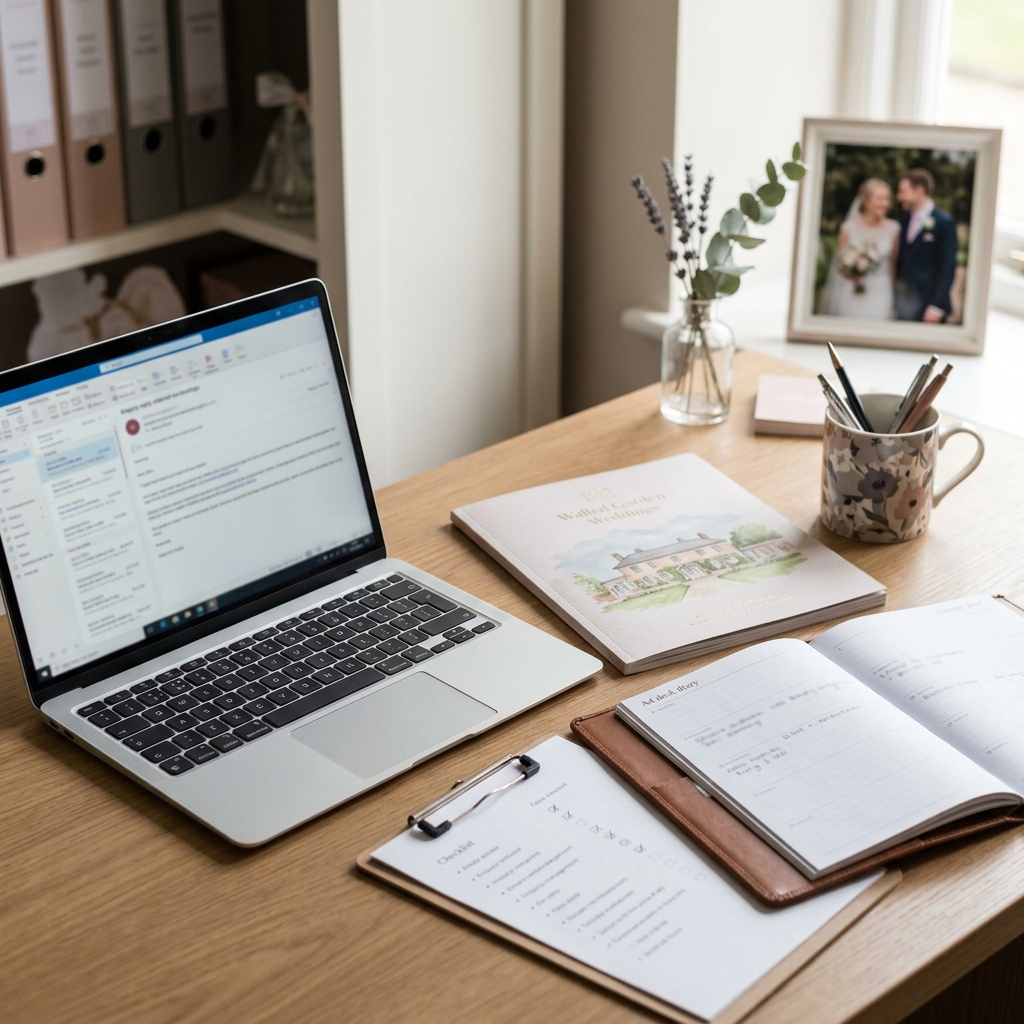
A couple has just asked about a Saturday date next summer. They would like the brochure, a sense of the package options and a viewing slot if the date is available. At the same time, you are updating event notes, chasing supplier details and preparing a handover for this weekend's wedding.
This is exactly the kind of moment where AI can be useful. It can help you turn a busy enquiry into a warm, structured first draft instead of starting from a blank email. But the risk is not usually the sentence structure. The risk is letting AI fill in a detail that your venue has not checked.
For a wedding venue coordinator, an AI toolkit for wedding sales and events coordinators should not be treated as a replacement for venue judgement. AI can help with tone, layout and clarity. Your venue's approved systems, documents and team decisions remain the source of truth for availability, prices, deposits, package terms, supplier arrangements and anything that could shape a couple's booking expectations.
This guide gives you a practical workflow for using AI to draft enquiry replies, brochure follow-ups and viewing confirmations without overpromising. It is drafting guidance, not legal or contractual advice, and every external reply should be checked before it is sent.
Quick answer: wedding venue coordinators can use AI safely for enquiry replies by giving it only approved source facts, asking it to draft rather than decide, blocking it from inventing availability or package details, and checking every reply before sending.
- Use AI for structure, warmth and clarity.
- Keep dates, prices, deposits, package inclusions and supplier details under venue control.
- Tell AI to use placeholders when information is missing.
- Review every draft line by line before sending it to a couple.
- Escalate non-standard wording, exceptions or bespoke promises to the right person at the venue.
If you want the ready-to-use version of this workflow, the Starter AI Toolkit for Wedding and Events Coordinators in Independent Wedding Venues (UK) packages practical AI prompts and role-specific drafting support for coordinators who want a safer starting point for enquiry replies, brochure follow-ups and viewing emails.
Affiliate disclosure: This article may contain an affiliate link, which means SBA Shortcut Shelf may earn a commission, at no extra cost to you. For wedding venues collecting consistent enquiry details before drafting a reply, Tally is one option to consider.
Why enquiry replies are a good but careful use case for AI
Wedding venue enquiry emails often follow a familiar pattern. A couple asks about a possible date, requests a brochure, mentions guest numbers, asks what is included and wants to know how to arrange a viewing. You may then need to send brochure follow-ups, viewing confirmations, package explanations and next-step emails.
That makes these messages a sensible use case for AI-assisted drafting. The reply needs to be warm, clear and organised. It usually needs to acknowledge the couple's plans, answer what can be answered, set out the next step and keep the experience personal without taking too long to write.
However, wedding venue replies are also commercially and emotionally important. A phrase that sounds helpful can easily sound like a promise. For example, wording such as available for you, included in your package or we can arrange that may be too firm if the detail has not been checked and approved.
The safe position is simple: AI is not the venue's source of truth. It should not decide whether a date is available, whether a discount applies, what a deposit is, what a package includes or whether a bespoke request can be accommodated. It can draft around approved facts, but the coordinator and venue team must remain in control of the final email.
This article is therefore not about automated sending or replacing coordinator judgement. It is about reducing drafting friction while protecting the venue, the team and the couple experience.
The information AI should and should not be given
Before you ask AI to draft a wedding venue enquiry reply, prepare a small source note. This is a short, checked set of facts that AI is allowed to use. The tighter the source note, the less room there is for risky assumptions.
For venues that want a consistent starting point for enquiries, Tally is one optional way to collect dates, guest numbers and initial requests before drafting a reply. It is not the source of truth for availability, pricing, package terms or booking status, which must still be checked by the venue team.
Safe source facts may include:
- Couple names, using initials or placeholders if your venue's tool rules require it.
- Wedding type if known, such as ceremony and reception, reception only or evening celebration.
- Preferred season, month or date range if the couple has provided it.
- Approved brochure wording or the approved brochure link text you normally use.
- Approved viewing times that have already been checked.
- Checked availability status, using approved wording only.
- Package name, if confirmed and relevant.
- Approved summary of inclusions, if your venue uses one.
- Standard next step, such as book a viewing, arrange a call or send the brochure.
- Coordinator name, role title and contact details.
There are also details you should not ask AI to guess. If they are missing, check them in the venue's approved system or leave a placeholder for human review.
Do not ask AI to invent or assume exact date availability, prices, deposits, payment schedules, contract terms, supplier permissions, minimum numbers, corkage, late licences, exclusivity, accommodation access, discount wording or bespoke exceptions. These are venue-controlled details, not drafting details.
Better inputs reduce the chance of a poor draft, but they do not remove the need for review. Even when the source note is accurate, AI may phrase something too strongly. Your final check matters.
A safe AI workflow for wedding venue enquiry replies
You do not need a complicated system to use AI carefully. A simple repeatable workflow is enough for most enquiry replies, brochure follow-ups and viewing confirmations.
- Read the enquiry properly. Identify what the couple is asking for: date, brochure, viewing, package information, guest numbers, ceremony details, accommodation, supplier questions or bespoke requests.
- Check facts in approved venue systems or documents. Look at the diary, CRM, brochure, package sheet, approved templates or internal guidance before drafting. Do not rely on memory for high-risk details.
- Create a short source note. Include only checked facts that are relevant to this reply. Use placeholders for anything still missing.
- Ask AI for a draft with strict boundaries. Tell it not to invent missing details and to flag anything that could sound like a commitment.
- Review against a checklist. Read the draft line by line, especially any wording about availability, pricing, deposits, inclusions, suppliers, timings and bespoke requests.
- Add human warmth and final next steps. Adjust the tone so it sounds like your venue, not a generic email. Add the right viewing link, call option or follow-up action only after checking it.
- Send only after venue review where needed. If the reply includes non-standard terms, an exception, a complaint, a sensitive issue or anything that may affect the couple's booking decision, ask the appropriate person at the venue to review it before sending.
One important rule sits underneath the whole workflow: never paste unclear, unverified or sensitive information into an AI prompt unless that is allowed by your venue's own data and tool rules. Use placeholders, summaries or anonymised details where appropriate, and follow your venue's policy on what can and cannot be used in AI tools.
A good prompt tells AI what to do, what not to do and what to leave blank. Missing information should become a placeholder, not an assumption.
Prompt examples for common venue emails
The following templates are designed for drafting support. Replace the placeholders with approved facts, then review the output before sending. Do not use these prompts to bypass your venue's normal checks.
Prompt 1: new wedding enquiry reply
Draft a warm first reply to this wedding enquiry using only the details below. Do not invent availability, prices, deposit terms, package inclusions or supplier details. If a detail is missing, use a clear placeholder or suggest that I check it before sending. Keep the tone friendly, calm and professional for a UK independent wedding venue. Source facts: Couple names: [names]. Enquiry date: [date]. Preferred wedding date or season: [details]. Checked availability: [approved wording only]. Package or brochure to mention: [approved wording]. Next step: [viewing, call or brochure link]. Coordinator name: [name].
Safety note: replace all placeholders, verify the checked availability and remove any sentence that sounds like a promise unless it uses approved venue wording.
Prompt 2: brochure follow-up email
Create a brochure follow-up email for a couple who received our wedding brochure. Use only the approved notes below. Do not add prices, inclusions, deadlines, discounts or availability unless I have provided them. Make the email helpful without pressure, and invite them to book a viewing or ask questions. Approved notes: Couple names: [names]. Brochure sent on: [date]. Package or venue areas discussed: [approved wording]. Viewing options already checked: [times or placeholder]. Next step I want to offer: [details].
Safety note: follow-ups can easily become over-specific. Check viewing times, package names and any urgency wording before sending, especially if the couple has asked about a popular date or a bespoke arrangement.
Prompt 3: viewing confirmation review
Review this draft viewing confirmation for overpromising. Flag any wording that appears to confirm availability, price, exclusivity, package inclusions, supplier arrangements, timings or bespoke requests without enough source information. Then suggest a safer version using placeholders where needed. Draft email: [paste draft]. Approved facts to use: [paste approved facts].
Safety note: this uses AI as a review assistant, not the final decision-maker. Do not paste sensitive personal, contractual or internal information into AI tools unless your venue's own policy allows it.
The fact-check checklist before you press send
The most useful habit is to treat every AI draft as a first version, not a finished email. Before you press send, read the reply as if you were the couple receiving it. What would they reasonably think has been confirmed?
Use a line-by-line check, especially for wedding venue enquiry replies where one phrase can change the meaning of the message.
- Date and availability: has the exact date, season or alternative date wording been checked against the approved venue system?
- Pricing and deposits: does the email avoid unapproved prices, deposit wording, payment schedules or discount language?
- Package details: is the package name correct, and are inclusions taken from approved wording only?
- Guest numbers and timings: has the draft avoided assuming ceremony times, reception timings, evening guest numbers or turnaround details?
- Supplier and operational details: has it avoided inventing catering, bar, accommodation, supplier access, corkage, licence or exclusivity details?
- Tone: is the email warm and helpful without sounding as if everything requested has already been agreed?
- Next step: is there a clear and accurate next action, such as arranging a viewing, checking a date or discussing package options?
- Bespoke requests: are unusual requests framed as something the team can discuss, not something already confirmed?
- Internal notes: have any sensitive internal comments, diary notes or team-only instructions been removed?
- Right person review: has a manager, owner or appropriate team member reviewed anything involving non-standard wording, exceptions or possible commitments?
This checklist is practical editorial guidance. It does not make a message legally safe or contractually approved. It simply helps you catch overpromising language before it reaches the couple.
What should stay human-led at the venue
Some parts of wedding venue communication should stay firmly human-led. They involve venue judgement, commercial decisions, couple expectations or operational risk. AI can help phrase a draft around the outcome, but it should not decide the outcome.
Keep these areas under venue team control:
- Confirming availability for a wedding date or viewing slot.
- Agreeing prices, discounts, offers or package changes.
- Explaining deposits, payment terms or contract-related wording.
- Confirming package inclusions or exclusions.
- Approving bespoke requests, exceptions or unusual timings.
- Handling complaints, disappointment or sensitive couple concerns.
- Making exceptions to standard venue practice.
- Discussing supplier restrictions, access arrangements, catering, bar, accommodation or exclusivity.
- Sending anything that could affect the couple's expectations or booking decision.
A useful way to think about it is this: AI can help you say the checked thing clearly. It should not decide what the checked thing is.
For a busy wedding and events coordinator, that boundary is what makes AI practical rather than risky. It lets you move faster on the draft while keeping final approval, venue facts and couple commitments with the people responsible for them.
AI enquiry reply safety checklist for wedding venues
Use this checklist whenever AI has helped draft or review a wedding venue enquiry email, brochure follow-up or viewing confirmation. It is designed to help you spot missing facts and overpromising language before the message is sent.
1. Source facts
- Have I used only approved facts from the venue diary, CRM, brochure, package documents or agreed team notes?
- Have I removed or replaced any unclear, unverified or sensitive internal information?
- Have I followed the venue's own rules on what information can be used in AI tools?
2. Missing information
- Has AI used placeholders for missing details rather than filling the gaps?
- Are there any sentences that sound confident but are not supported by the source note?
- Do I need to check anything with a manager, owner, sales lead or events lead before sending?
3. Availability and dates
- Has the requested wedding date been checked?
- Are alternative dates or viewing times approved and current?
- Does the wording avoid implying a date is held, reserved or confirmed unless that is approved venue wording?
4. Pricing, deposits and package terms
- Are prices, deposits and payment wording taken from approved information only?
- Has the email avoided adding deadlines, discounts or incentives that were not provided?
- Is the package name correct, and are inclusions described accurately?
5. Guest numbers, timings and event details
- Has the draft avoided assuming guest numbers, ceremony timing, reception timing or evening arrangements?
- Are any bespoke requests presented as something to discuss rather than something already agreed?
6. Suppliers and venue operations
- Has the email avoided inventing catering, bar, accommodation, access, corkage, licence, exclusivity or supplier permission details?
- Are operational details checked against approved venue information?
7. Tone and next step
- Is the tone warm, calm and professional?
- Does the email sound helpful without sounding overcommitted?
- Is the next step clear, accurate and easy for the couple to follow?
8. Final approval
- Has the final email been read by a human before sending?
- Has the right person reviewed any non-standard terms, exceptions, complaints or possible commitments?
- Would the couple's likely interpretation match what the venue is actually prepared to offer or confirm?